Getting Started / Updating NEX
New to NEX or updating from a previous version? Follow the installation and upgrade instructions in the official docs: Installation Guide.
This release marks an important milestone in NEX’s evolution from an interactive engineering assistant into a platform that can be seamlessly embedded into automated workflows.
With powerful headless execution, richer simulation support, improved project portability, and enhanced engineering analytics, v5.48 makes it easier than ever to integrate NEX into your daily development process.
Headless Mode, Reimagined
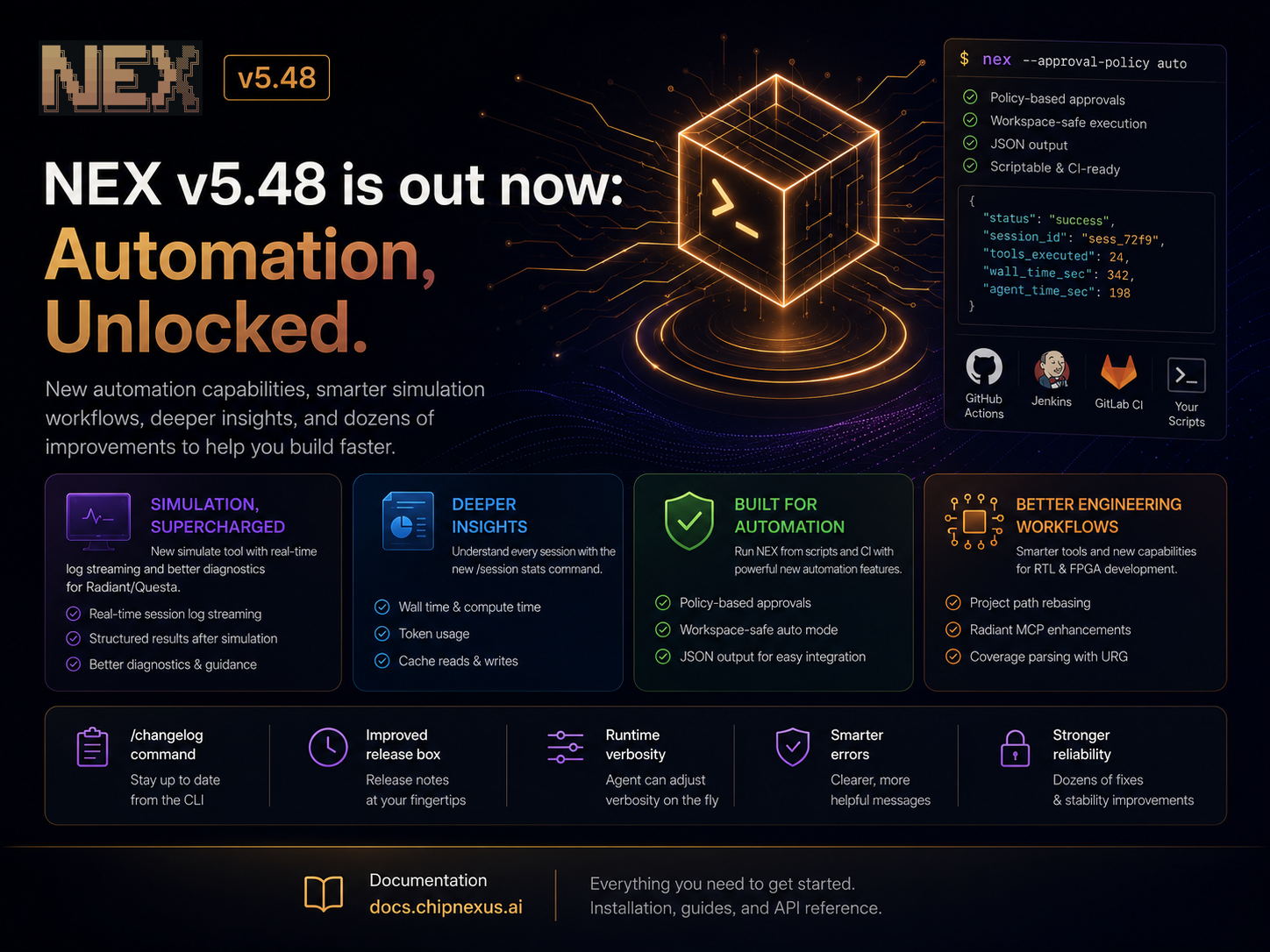
One of the biggest additions in this release is a significant expansion of NEX’s headless capabilities.
You can now run NEX entirely from scripts or CI environments with:
- Policy-based approval control
- Structured JSON output for machine consumption
- Workspace-safe automatic execution
- Explicit approval policies for scripted workflows
These improvements make NEX much easier to integrate into build systems, automation pipelines, and custom engineering workflows while maintaining fine-grained control over tool execution.
Smarter Simulation Workflows
Simulation continues to be a major focus.
This release introduces a dedicated simulate tool with real-time session log streaming, making it much easier to monitor simulations as they execute.
We’ve also improved the Radiant and Questa workflows with:
- Better simulation diagnostics
- More robust structured simulation results
- Additional placement and routing capabilities
- Automatic project path rebasing after moving a workspace
Together, these changes reduce friction when working with larger FPGA and ASIC projects.
Better Visibility Into Your Sessions
Understanding how NEX spends its time is now much easier.
The new /session stats command provides a detailed breakdown of each session, including:
- Wall-clock execution time
- Active agent compute time
- Token usage
- Cache reads and writes
Whether you’re optimizing prompts, comparing models, or simply understanding where time is being spent, these statistics provide valuable insight into every engineering session.
Better Coverage Analysis
For hardware verification teams, we’ve significantly expanded support for coverage analysis.
NEX can now parse coverage reports generated by urg, including dashboards, module-level coverage, and assertions. We’ve also optimized the parser to reduce unnecessary context, making coverage reviews faster and more token-efficient.
Small Features That Improve Everyday Work
This release also includes a number of quality-of-life improvements throughout NEX:
- Global
NEX.mduser settings shared across workspaces - Agent-controlled verbosity adjustments at runtime
- A new
/changelogcommand with direct access to release notes - Improved release notifications inside the CLI
- More informative and concise error messages throughout the application
Reliability Across the Board
As always, this release also includes numerous stability improvements, including better Windows compatibility, more robust file handling, improved Vivado project management, UTF-8 fixes, startup reliability improvements, and more resilient engineering workflows.
As always, thank you to everyone providing feedback, testing new workflows, and helping shape the future of NEX.